
Des Moines Register
USA TODAY Co.News & Magazines
2.3214.00 Reviews
- Version
- 8.10.3
- Installs
- 50.00K
- Age Rating
- Everyone 10+
Screenshots





Our Review of Des Moines Register
 Analysis by Appyee
I judge a local news app less by how many headlines it can put on a screen and more by whether it helps me understand what is happening near home without turning every spare minute into a scroll. The Des Moines Register is built around news for Des Moines and the wider Iowa community, so its value is clearest when local coverage matters more to you than a broad, national-only feed. I’d treat it as a focused companion to other news sources, not necessarily the one place to follow every story in the world.
A local-first routine that makes sense
My most useful way to approach a community news app is to give it a few predictable moments in the day. I would check the leading stories with breakfast, open a relevant article when a headline affects plans, then return later for a more deliberate read. That rhythm suits the Register better than opening it repeatedly just to see whether something new has appeared. The app is free to install, while some purchases are offered in the app, so it is worth checking what is included before committing to any paid option.
For example, if I were planning a day around Des Moines, I’d use a local report to add context to what I was already hearing from friends or seeing in a neighborhood conversation. I would then share a particularly useful article with someone who needs the same update. That is a more practical use than treating every headline as a must-read: local reporting is most valuable when it helps explain a decision, a change, or a community issue that touches daily life.
Deciding whether it fits your news mix
The app is published by USA TODAY Co., but its identity is firmly tied to the Des Moines Register name and its local audience. That makes it a natural choice for residents, former residents keeping an eye on home, and readers with a specific interest in Iowa. If your main aim is to scan international headlines or compare a wide range of national perspectives, a larger general-news app may be a better starting point. I’d use this one for the local layer that those broader feeds can leave thin.
There is also a useful distinction between a news app and a collection of social posts. Articles give you a more coherent account than a fast-moving stream, but they take more time to read and interpret. When I only want to know what people are discussing, social media is quicker; when I want reporting and detail about a local issue, a newspaper app is the more sensible place to look. I would not expect every story to be relevant to every reader, which is normal for a publication focused on one region.
What the version and audience details mean
The app sits in the News & Magazines category and is rated for Everyone 10+. It has a 2.2 average from 474 ratings, alongside 212 written reviews, so I would not assume that every reader has the same experience. Those figures are a reason to try it with realistic expectations rather than a verdict on whether its local reporting will suit you. It has more than 50,000 installs, and its current version is 8.7.1, with Android support beginning at version 8.0.
Because the app may offer in-app purchases ranging from $19.99 to $69.99 per item, I would distinguish between installing it and deciding to pay for access. If you only want to explore the interface and see whether the local coverage fits your routine, start by checking the available content and any purchase prompts carefully. The app’s free download does not mean every possible reading option is necessarily free, so understanding the terms on screen is the sensible way to avoid a surprise.
Getting Started with the App
First things first, downloading and setting up the Des Moines Register app is a breeze. You can find it in both the Apple App Store and Google Play Store. Once you’ve got it installed, you’re greeted with a clean and intuitive interface. You know how some apps just throw a million options at you? Not this one. It’s simple, straightforward, and easy to navigate.
Features That Stand Out
So, what makes this app tick? Well, for starters, it’s packed with features that keep you informed and engaged. The top stories are showcased right on the homepage, ensuring you never miss a beat. From breaking news to detailed reports on local events, the app covers it all.
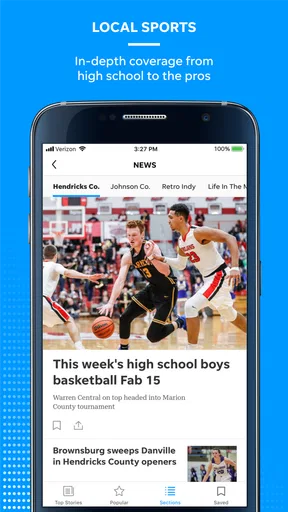
If you're into sports, there's a whole section dedicated to it. You can catch up on the latest scores, read in-depth analyses, and keep tabs on your favorite teams. And for those who love a good story, the app is rich with human interest pieces and editorials that give you a glimpse into the lives of people in the community.
Customizing Your Experience
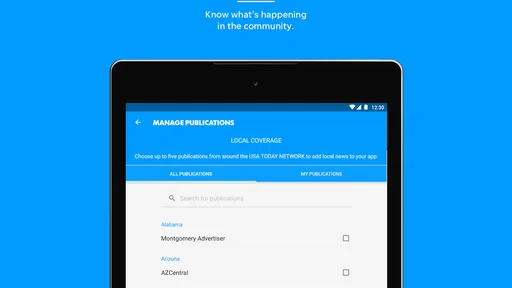
One of the things I love about the app is how customizable it is. You can tailor your news feed based on your interests. Whether you’re into politics, lifestyle, or just want to keep an eye on the weather, you can tweak the settings to suit your preferences. It’s like having a personal news curator.
I’d keep that customization focused rather than trying to make the feed cover everything. A useful habit is to choose the subjects I genuinely return to, then use the homepage for a quick scan and open other sections only when I have time. That keeps a local paper’s breadth from feeling like a pile of unrelated headlines. If my interests change, I can revisit those choices instead of assuming the first setup has to be permanent.
User Experience
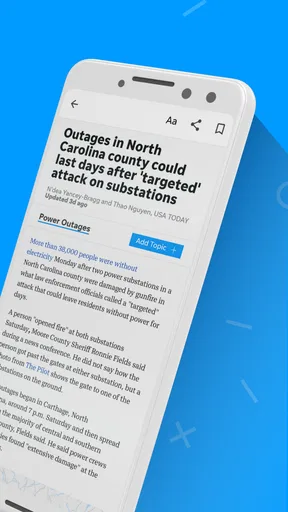
Let’s talk about usability. The app’s design is sleek, and the navigation is smooth. You can easily swipe through articles, and the fonts are just the right size for comfortable reading. Plus, the images and videos load pretty quickly, which is always a plus when you're on the go.
The publication’s emphasis on visual reporting is a welcome change of pace from text-heavy feeds. Photography can make a local story easier to place, while video gives another way into a report when I don’t want to read a long article immediately. I still prefer text when I need details I may want to revisit, so I treat those formats as useful alternatives rather than replacements for careful reading.
Saving stories for a better moment
Another neat feature is the offline reading option. You can save articles to read later, which is perfect for those times when you’re stuck without Wi-Fi or data. It’s like having a mini-library in your pocket.
For a repeatable routine, I’d save only stories I expect to finish: a longer local report for a commute, perhaps, or a piece I want to discuss at home. A small, intentional reading queue is easier to use than saving every interesting headline and letting the list grow beyond reach. It is also a good way to separate a quick check-in from a deeper read, especially when a story deserves more attention than a spare minute allows.
Engagement and Community
Engagement is key, and the app does a great job at connecting with its users. You can share articles on social media with just a tap, fostering discussions and keeping the community engaged. The comment sections are active, and it’s always interesting to see different perspectives from fellow readers.
I’d use comments as a supplement, not as a substitute for the article itself. A discussion can show which details readers find contentious or personally important, but comments are still individual reactions. When sharing a report, I find it more useful to add a short note about why I’m sending it than to rely on a headline alone. That helps keep the conversation anchored to the actual story rather than a quick impression.
Settings that earn a quick check
Notifications are most helpful when they match a real reason to open the app. I’d decide whether I want immediate breaking-news alerts or a quieter daily check, then keep only the option that fits my day. If frequent alerts interrupt work or family time, turning them down is not missing the point of the app; it is making the news habit sustainable. The same principle applies to interest choices: adjust them when the feed stops reflecting what I actually want to follow.
It is also worth checking reading and purchase prompts before settling into a routine. If a story leads to a subscription or other paid choice, pause and review the terms rather than tapping through automatically. That small habit matters here because the app has in-app purchases, and the free install is distinct from any paid access. I would rather know what an option covers before relying on it for regular reading.
Notifications That Matter
Now, I know what you're thinking—"I don’t want my phone buzzing every five minutes." Don't worry, the notification settings are quite flexible. You can choose to get alerts for breaking news, or just stick to the daily digest. It’s all about what suits your lifestyle.
My preference would be to make the notification choice once, live with it for a few days, and then change it if it pulls me away too often or leaves me checking manually. That is a more useful test than turning every alert on at installation. For people who already follow national news through another app, a limited alert setup can let the Register serve as a local signal rather than duplicating every general headline.
Where it can feel limited
A local publication cannot make every topic equally useful to every reader. Someone outside Iowa who wants a comprehensive national briefing may find the regional focus too narrow, while a Des Moines reader who wants only one particular subject may still need to browse past stories that do not apply to them. I would pair it with a broader news source when I need that wider view, and use this app when local reporting is the point.
The modest average rating is another reason I would test the app against my own needs rather than assume the interface will work perfectly for everyone. A rating captures many individual experiences, not necessarily the quality of a particular article or the relevance of local coverage to a specific reader. If navigation, access prompts, or the way content is presented becomes a repeated annoyance, that is a fair reason to choose another way to follow the news. The key question is whether the local value outweighs those points for you.
A practical way to judge it
I would give the app a short, structured trial: read the leading local stories at one consistent time, open a couple of topics that matter to me, and see whether the articles add useful context. I’d also test saving a story for later and sharing one with someone who follows the same area. Those simple checks reveal more than repeatedly browsing the homepage, because they show whether the app supports a real routine rather than just presenting an attractive first screen.
If you are deciding between this and a general news aggregator, think about what you miss in your current feed. If it is Des Moines reporting, the Register has a clear reason to sit alongside that aggregator. If your existing source already covers local Iowa stories to your satisfaction, the extra app may not add enough. That is the main trade-off: a dedicated local lens can bring relevance and detail, but it is not a replacement for every kind of news coverage.
In a nutshell, the Des Moines Register app is a fantastic tool for staying connected with everything Des Moines has to offer. Whether you’re checking the latest headlines over coffee or catching up on news during your commute, this app is a reliable companion.
If you haven’t tried it yet, I’d say give it a shot. It’s more than just news; it’s a portal into the heart of Iowa.
Who I’d recommend it to
I’d recommend giving it a try if you live in Des Moines, have family or work ties there, or simply want a closer view of Iowa than a national feed usually provides. It is particularly handy for readers who like to follow local affairs, community stories, and sports in one place. The app is less compelling if you rarely read regional news, prefer a single broad briefing, or do not want to encounter purchase options while browsing. In those cases, a general news source or the publication’s other available channels may suit you better.
My final take
What I like most is the clear local purpose: the app gives me a straightforward route into stories connected to Des Moines, with photos, video, sports, and community coverage adding variety to the reading experience. What I would watch is whether its content and paid options fit my habits, and whether the alerts stay useful rather than distracting. I’d keep it as a local companion, set a modest notification routine, and make the decision to pay only after checking the terms. For readers who want Iowa close at hand, that is a sensible balance; for everyone else, its regional focus may be a reason to pass.
Verdict
Strengths of Des Moines Register
- User-friendly interface with easy navigation.
- Comprehensive local news coverage.
- Timely updates on breaking news.
- High-quality multimedia content.
- Customizable notifications for alerts.
Limitations of Des Moines Register
- Limited free content access without subscription.
- Occasional ads can be intrusive.
- Requires stable internet for smooth use.
- Some features locked behind paywall.
- May experience lag on older devices.
Other Releases by USA TODAY Co.
View All
IndyStar: Indianapolis Star
News & Magazines2.7

AZ Central: Arizona Republic
News & Magazines2.5

The Detroit News: Local News
News & Magazines3.1

Detroit Free Press: Freep
News & Magazines3.0
Similar Picks in This Category
View All
Google News - Daily Headlines
Google LLC4.0

X
X Corp.4.8

Flipboard:Your Social Magazine
Flipboard3.4

Opera News: breaking & local
Opera4.5

Hindi News by Dainik Bhaskar
Dainik Bhaskar Group4.0

Way2News Daily News App
Way2News ( Formerly Way2SMS )4.6
Frequently Asked Questions
What features does the Des Moines Register app offer?
The Des Moines Register app provides users with comprehensive news coverage, including local, national, and international stories. It features real-time updates, multimedia content like videos and photo galleries, and special sections for sports, business, and entertainment. Users can also customize notifications to stay informed about the topics they care about most.
Is the Des Moines Register app free to use?
The app is free to download and offers access to a selection of articles and content. However, some premium content and features may require a subscription. The app often provides a trial period for new users, allowing them to explore the full range of content before committing to a subscription.
How can I customize my news feed in the Des Moines Register app?
Users can personalize their news feed by selecting topics and sections of interest. The app allows customization of alerts for breaking news or specific categories like sports or politics. This feature ensures that users receive the most relevant updates and enhances the overall user experience by tailoring content to individual preferences.
Does the app provide offline reading options?
Yes, the Des Moines Register app offers offline reading capabilities. Users can download articles and entire sections to read later without an internet connection. This feature is particularly useful for users who want to catch up on news during commutes or in areas with limited connectivity.
What are the technical requirements for the Des Moines Register app?
The app is compatible with both Android and iOS devices. For optimal performance, it is recommended to have the latest operating system updates installed. The app is regularly updated to fix bugs and improve functionality, so users should ensure they have the latest version for the best experience.
